
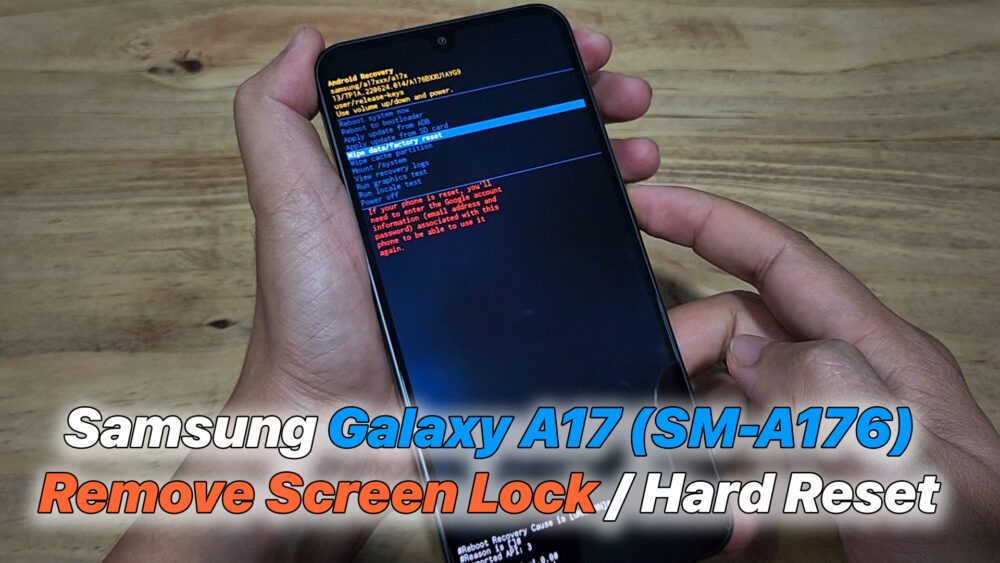

How to Remove Screen Lock / Hard Reset Samsung Galaxy A17 (SM-A176) on Android 14 / One UI 6.1 (2025 Method).
✅ Works for PIN / Pattern / Password
✅ Must connect USB cable to PC before key combination
✅ No software needed – 100% success
Steps: Power off your phone.
Connect the phone to a PC/laptop using a USB data cable.
Hold Volume Up + Power together. When Samsung logo appears, release Power but keep holding Volume Up until Recovery shows.
Select Wipe data / Factory reset → confirm.
Select Factory data reset.
Select Reboot system now.
⚠️ Data will be erased permanently. If FRP lock appears (Google account verification), additional steps are required.
#SamsungA17 #A176 #RemoveScreenLock #HardReset #FactoryReset #SamsungUnlock #Android14 #OneUI6 #SamsungA17Reset #USBConnect #SamsungTips #SamsungSupport
READ MORE
OPPO / Realme Unlock FRP Any Devices Android 15 | 100% Working New Solution (2025 Method)
How To Jailbreak Rootful iOS 16.7.1 iPhone 8 / 8 Plus / X on Windows (Winra1n 2.0 Tutorial)
If your Install is successful, please donate to ME, Thanks!
👍👍👍 http://bit.ly/donatePhoneGaming
———————————-
FOLLOW US 👍
▶️ FACEBOOK: https://www.facebook.com/gsmfixchannel/
▶️ SUBSCRIBE: https://goo.gl/EfqA7U
▶️ GOOGLE+: https://goo.gl/RYW8


Trả lời