
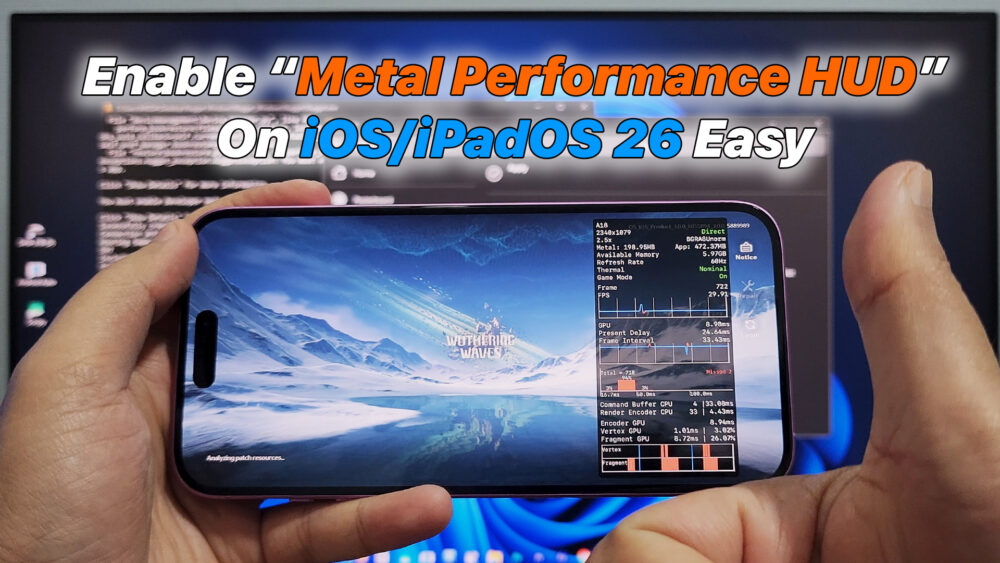

How To Enable Metal Performance HUD on iOS & iPadOS 26 Windows | Easy
– In this video, I will show you how to enable Metal Performance HUD on iOS and iPadOS 26 using a Windows PC with the Nugget tool.
Metal Performance HUD is a powerful performance debugging overlay that displays FPS, GPU usage, CPU load, frame time, and Metal rendering statistics in real time on iPhone and iPad. Normally, this feature is only accessible through Xcode on macOS, but with Nugget, you can enable Metal Performance HUD directly from Windows without a Mac.
#MetalPerformanceHUD #iOS26 #iPadOS26 #MetalHUD #AppleMetal #Nugget #NuggetTool #WindowsiOS #iOSPerformance #iPadPerformance #MetalDebug #FPSCounteriOS #GPUPerformance #iOSGaming #iPadGaming #DeveloperTools #iOSDebug #MetalAPI #AppleDeveloper
Download: https://github.com/leminlimez/Nugget/releases
READ MORE
How To Watch YouTube on Android Auto WITHOUT ROOT | AABrowser
Samsung Galaxy Note 20 ROOT – Screen Mirroring to Android Auto via Screen2Auto
If your Install is successful, please donate to ME, Thanks!
👍👍👍 http://bit.ly/donatePhoneGaming
———————————-
FOLLOW US 👍
▶️ FACEBOOK: https://www.facebook.com/gsmfixchannel/
▶️ SUBSCRIBE: https://goo.gl/EfqA7U
▶️ GOOGLE+: https://goo.gl/RYW8


Trả lời